Command Line Interface (CLI)
Gherkin PowerTools includes a powerful, standalone CLI (@carlos-camara/gherkin-pt) that brings the Workspace Intelligence Engine to your terminal and CI/CD pipelines. It allows you to run the exact same formatter, diagnostics, and metrics that run in VS Code, directly from the command line.
[!NOTE] The standalone NPM package
@carlos-camara/gherkin-ptis currently in preview and may not be published to the public NPM registry yet. During local development, you can build it yourself by runningnode scripts/build-npm-cli.js.
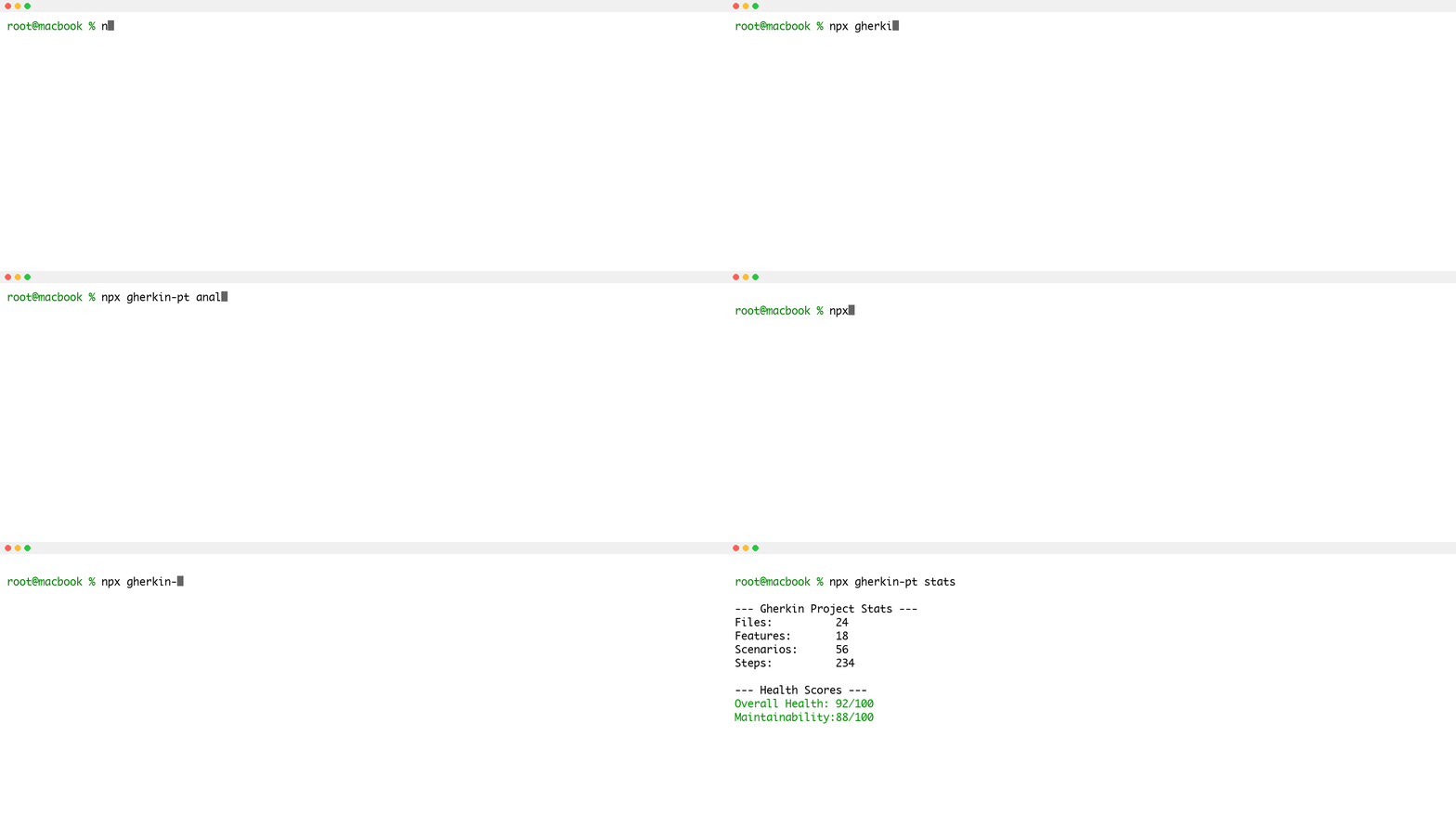
Installation
When you install Gherkin PowerTools locally in your project, the CLI is automatically added to your environment:
You can then run the CLI using npx:
Available Commands
1. analyze (or health)
Scans your entire workspace (both .feature files and Python Behave steps) using the BDD Anti-pattern Detection Engine to detect:
- Oversized Features and Scenarios.
- Unused or Duplicated Python step definitions.
- Ambiguous and Undefined steps.
- Excessive Tags and Inconsistent Formatting.
- General structural and syntax errors.
Usage:
CI/CD Integration:
If the command detects any problems, it will return an exit code of 1, allowing you to block a Pull Request that introduces invalid Gherkin or missing Python steps.
JSON Output:
You can export the results for custom scripts by using the --json flag:
2. format
Formats all .feature files in your workspace according to your .gherkin-powertoolsrc.json configuration profile.
Usage:
# Formats all files in place
npx @carlos-camara/gherkin-pt format

# Format specific files or directories
npx @carlos-camara/gherkin-pt format tests/features/**/*.feature
Check Mode for CI:
In a CI/CD pipeline, you don't want to modify files, you want to enforce that developers formatted them correctly before committing. Use the --check flag:
1.
3. stats (or report)
Generates high-level project metrics, including the total number of features, scenarios, steps, and an overall maintainability score.
Usage:
JSON Output:
Use the --json flag to export metrics and feed them into internal reporting dashboards:
CI/CD Example: GitHub Actions
You can integrate Gherkin PowerTools into your GitHub Actions workflow to block PRs that contain unformatted Gherkin or missing Python step definitions.
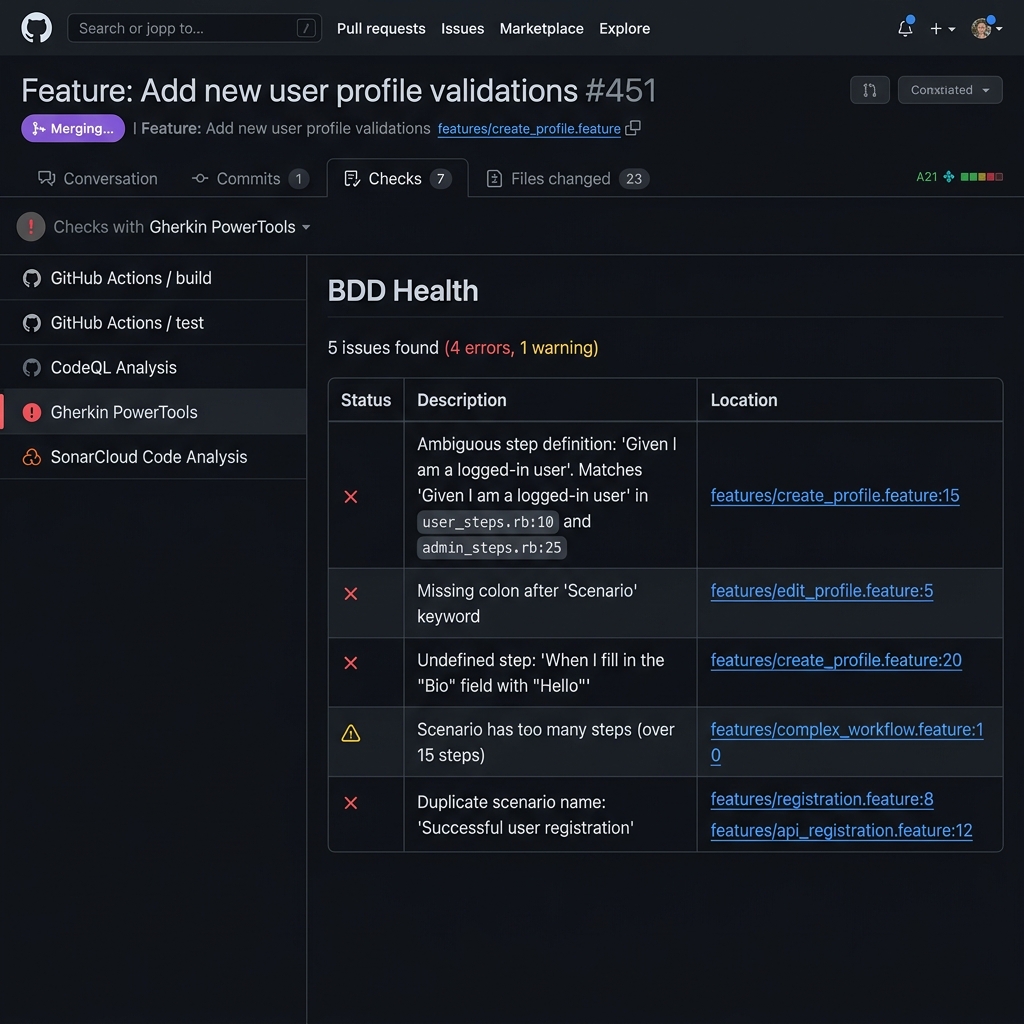
Example: BDD Health export directly integrated into GitHub PR Code Scanning alerts.
Create a file at .github/workflows/gherkin-pt.yml:
name: Gherkin PowerTools

on:
  pull_request:
    branches: [ main ]

jobs:
  validate:
    runs-on: ubuntu-latest
    steps:
      - uses: actions/checkout@v4

      - name: Setup Node.js
        uses: actions/setup-node@v4
        with:
          node-version: '20'

      - name: Install dependencies
        run: npm install -D @carlos-camara/gherkin-pt

      - name: Enforce Formatting
        run: npx @carlos-camara/gherkin-pt format --check

      - name: Validate BDD Health
        run: npx @carlos-camara/gherkin-pt analyze

      # (Optional) Export diagnostics to GitHub Code Scanning (SARIF)
      - name: Export BDD Health SARIF
        run: npx @carlos-camara/gherkin-pt analyze --sarif > gherkin-pt-results.sarif
        continue-on-error: true

      - name: Upload SARIF to GitHub
        uses: github/codeql-action/upload-sarif@v3
        with:
          sarif_file: gherkin-pt-results.sarif
          category: gherkin-powertools
Configuration
The CLI shares the exact same configuration engine as the VS Code extension because it leverages a unified configuration layer. View the Capability Contract.
To share formatting rules and glob patterns across your team and CI/CD pipelines natively, place a .gherkin-powertoolsrc.json file in the root of your workspace: